
| Pocket PC Q&A | Currently Running | About |
 |
Pocket PC 2002 (Merlin) Information
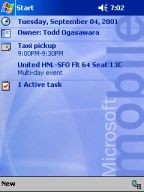
Tidbits Todd Ogasawara I'm truly excited about Pocket PC 2002. I'm rushing to write a few words before rushing to the airport. So, here's just a few of the highlights you'll find when you are able to see a Pocket PC 2002 system in person. The first thing you notice is the slightly different (and better) looking interface. |
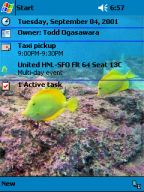 |
Themes! You can change the Start window background and the Start menu background. This is done through the Today Settings option. I created the Theme you see on the left as well as a few others (see MobileViews Themes page) to give you an idea of what can be done with the new Pocket PC 2002 Themes. |
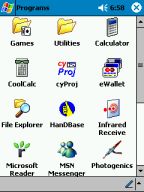 |
Compatible with Most Pocket PC (Rapier) applications! I've been able to install and run all of my previous generation Pocket PC applications so far. |
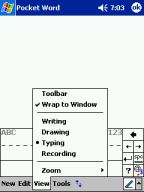 |
Cool new features! There are cool new features scattered throughout the Pocket PC 2002. One cool new feature is the ability to convert inked (drawn/bitmap) text to normal (editable) text after the fact. Select Writing mode to write quickly using Ink. |
 |
This is an example of text quickly written using ink. |
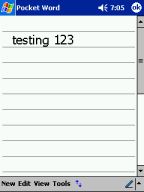 |
I used the new Recognize command in the Tools menu
to convert the Ink (bitmap) text to normal text for editing. There's a lot more to talk about. But, as I said. I'm creating this page a few minutes before heading to the airport. More later next week after I get back home! |