Blog

  • MobileViews Podcast 613: Bean counters creating the AI divide


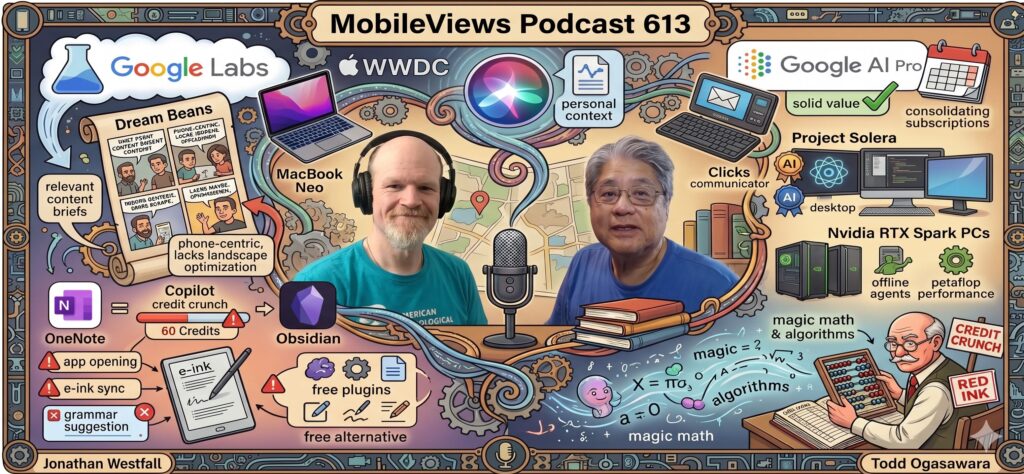
    In MobileViews 6136, Jon Westfall and I tackled the increasingly complex world of AI ecosystems. I shared my early impressions of Google Labs’ “Dream Beans,” an interesting daily briefing tool that uses AI to generate an illustrated summary of topics it thinks you’ll find interesting based on your activity. While the illustrations are very nice looking and the content relevant, the app is currently very phone-centric, lacking the landscape orientation optimization I’d expect for a tablet experience. I also noted that Google AI Pro remains a solid value for me at $20 a month.

    A major portion of the episode was dedicated to my “credit crunch” rant regarding Microsoft Copilot. I discovered that Microsoft’s 365 family plan only provides 60 AI credits per month, and the “intentional use” policy is aggressive. According to Copilot itself, credits can be consumed simply by opening the app, syncing handwriting from an e-ink tablet to OneNote, or even having the AI suggest a grammar fix you don’t actually use. This led me to explore Obsidian as a OneNote alternative, as it offers free handwriting plugins without the credit overhead. Jon suggested a sustainable path forward: using AI to build offline scripts or tools that perform data manipulation locally to avoid recurring token costs.

    We also looked at the hardware horizon, specifically Microsoft’s announcement of Project Solera—AI-powered badges and desktop displays—and the new Nvidia RTX Spark PCs. These machines are purpose-built for local AI, boasting a petaflop of performance to run personal agents offline. Finally, with Apple WWDC just around the corner, we shared our hopes for the long-promised “personal context” updates to Siri. Jon is also eagerly awaiting his pre-ordered Clicks communicator and keyboard, while I continue to hold out hope for a MacBook Neo with a backlit keyboard and a desktop Mac Neo. Whether it’s navigating “vibe coding” loops or managing AI budgets, it’s clear that the “magic math” of the AI industry is starting to meet the reality of the bean counters.

    Available via Apple iTunes.
    MobileViews YouTube Podcasts channel
    MobileViews Podcast on Audible.com
  • MobileViews Podcast 612: Tokens vs, Humans w/guest Don Sorcinelli


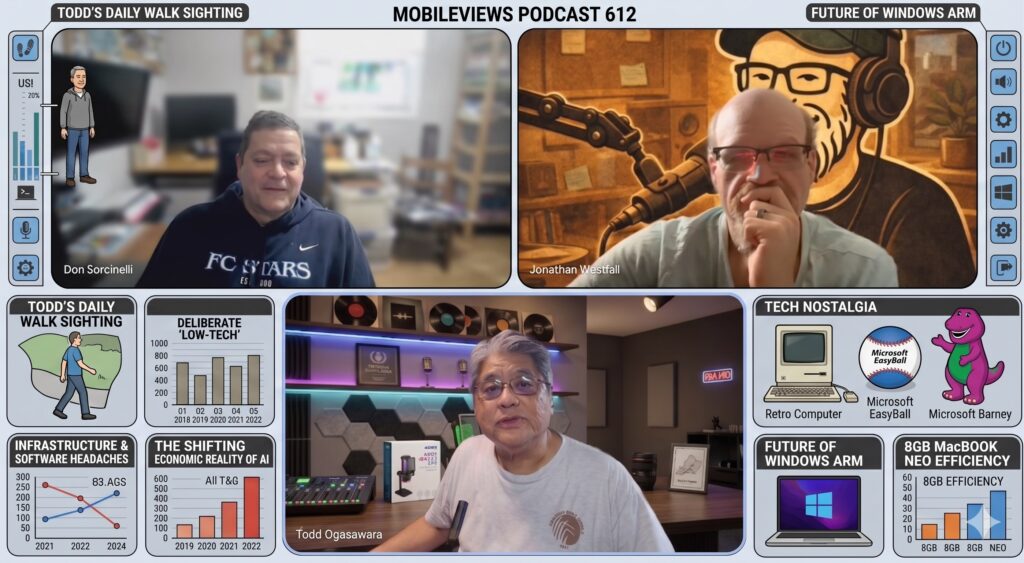
    Jon Westfall and I welcomed back our long-time friend Don Sorcinelli, who hasn’t been on the show since last October (podcast 583). Don shared his deliberate “low-tech” approach to entertaining his two-year-old granddaughter, opting for traditional toys over tablets to encourage focus and avoid the “out” that screen time provides. This sparked some fun tech nostalgia, as I recounted my own experiences as a dad of a toddler trying “interactive” toys like the light-sensing Microsoft Barney and the giant yellow Microsoft EasyBall trackball—both of which proved that sometimes, simpler is better.

    A major theme of this episode was the shifting economic reality of AI. Don, ever the healthy skeptic, compared the current AI hype to the dot-com bust and the “magic math” of non-GAAP reporting. We discussed the “tokens vs. humans” trade-off, noting that as companies like Google and OpenAI move toward token-based pricing, the cost of farming out thinking to AI may soon exceed the cost of hiring a human. I’ve been finding ways to outsmart these limits by using standard LLMs to “interview” me and generate highly efficient Codex prompts, which usually get the job done on the first try.

    We also tackled some serious infrastructure and software headaches. I’m currently dealing with Windows 11 expiring Secure Boot certificates on some of my no-name PC boxes—a situation Don rightly called a “mismanaged” disaster on Microsoft’s part, given the lack of clear documentation and the bugs causing BitLocker prompts. On a more positive note, my 8GB MacBook Neo continues to impress me with its efficiency, proving that tight optimization can often trump raw specs. We wrapped up with a look at the future of Nvidia ARM-based processors for Windows and a strange sighting during my daily walk: a fiber optic cable hanging at neck height between utility poles, a reminder that even high-tech infrastructure can have very physical (and dangerous) failures.

    Available via Apple iTunes.
    MobileViews YouTube Podcasts channel
    MobileViews Podcast on Audible.com
  • MobileViews Podcast 611: Android Show & “Gemini” I/O recap w/Johannsen & McPherson


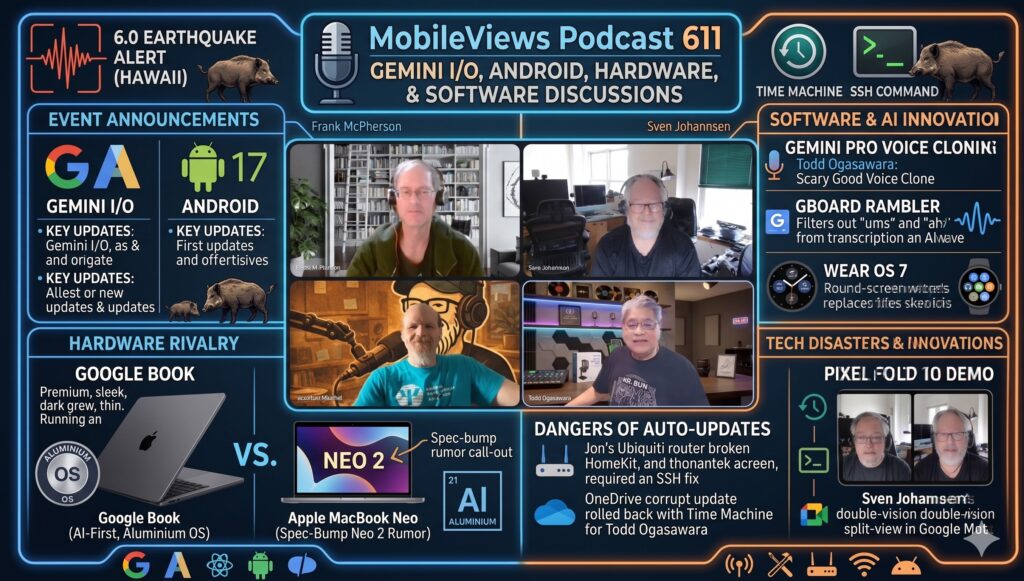
    Jon Westfall and I were joined by frequent guest panelists Frank McPherson, and Sven Johannsen to discuss  the announcements from the recent “Gemini I/O” and Android shows. I kicked off the episode with a real-world tech success story: the Google app on my Pixel devices provided a magnitude and epicenter alert for a 6.0 earthquake in Hawaii that occurred 200 miles away. I felt a relatively mild rumble but thought it was a feral pig bumping the side of my home. Much of our hardware discussion focused on the Google Book, a premium AI-first device running the “Aluminium” (Android-based) OS. We speculated that Google is positioning this to compete with the high-demand MacBook Neo, which is currently so popular that rumors suggest Apple may release a spec-bumped “Neo 2” to address chip shortages and stay ahead of the competition.

    On the software and AI front, we looked ahead to Android 17 and its new “Rambler” feature for Gboard, which uses AI to filter out “ums” and “ahs” from voice transcriptions. I shared my experience with Gemini Pro’s voice cloning, which was “scary good” at mimicking my voice with minimal training, while Frank voiced skepticism about Wear OS 7 replacing tiles with widgets, fearing it’s a step backward for round-screen usability. The episode also served as a warning about the dangers of auto-updates; Jon shared how a Ubiquiti router update broke his HomeKit setup—requiring an SSH command to fix—and I recounted a corrupt OneDrive for Mac update that forced me to roll back to its previous version using Time Machine.

    We wrapped up with a demonstration from Sven, who demonstrated his new Pixel Fold 10‘s unique feature in Google Meet that allows for a split-view using the front and back cameras simultaneously. This “double-vision” mode allows a caller to show their face while also providing a high-resolution view of their surroundings, which we agreed would be a game-changer for remote tech support or traveling. d there is still plenty of innovation happening in the Android ecosystem.

    Available via Apple iTunes.
    MobileViews YouTube Podcasts channel
    MobileViews Podcast on Audible.com
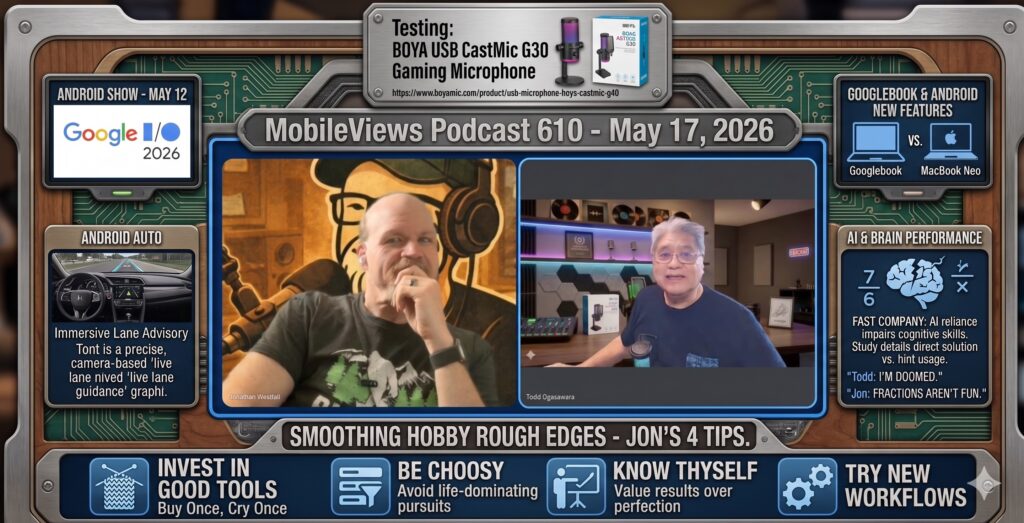
  • MobileViews 610: Googlebook announced. Good enough or too late?


    NOTE: I’m aware that Google Gemini/Nano Banana 2 had some kind of AI Jargon Aphasia when it created the graphical/text section about Google Auto’s upcoming Lane Advisory feature. I left it as-is for my own amusement.

    I started off the podcast by noting that I’m testing yet another budget-friendly microphone, the Boya CastMic G30, which features a gaming-style “glow” that led us into a deep dive on the recently announced Googlebook and its Battlestar Galactica Cylon-like Glowbar. Announced at a pre-Google I/O Android Show, the Googlebook is an AI-first, Android-based premium device positioned above the Chromebook. While its Cylon-esque “glow bar” is a fun aesthetic touch, I’m skeptical about its potential price point; if it creeps above $599, it might make more sense to buy a MacBook Neo, especially given Android’s historical struggle with landscape-oriented tablet apps. We also touched on the future of Android Auto, which is introducing “immersive navigation” with Lane Advisory guidance to help drivers with select supported cars with front cameras navigate multi-lane roads in real-time.

    The second half of our conversation turned toward the cognitive impact of AI. We debated a recent study claiming that using AI for even ten minutes can impair brain performance (Fast Company), particularly in solving math problems. Jon Westfall, drawing on his background as a cognitive scientist, was skeptical of the study’s protocol, while I noted the striking similarity to the “brain mush” warnings I heard about calculators fifty years ago. We wrapped up by discussing how to “smooth over” the friction in our personal hobbies. For Jon, this means a “buy once, cry once” philosophy with high-quality tools like professional knitting needles. For me, retirement has brought a surprising fascination with the mechanics of pencil sharpeners, where I’ve discovered that investing in a high-quality long-point sharpener is often the key to enjoying the simple act of doodling on paper. Whether it’s using AI to remove “ums” and “ahs” from speech via Gboard’s new Rambler feature or whittling a pencil to perfection, we agreed that the right tool fundamentally changes the experience.

    Available via Apple iTunes.
    MobileViews YouTube Podcasts channel
    MobileViews Podcast on Audible.com
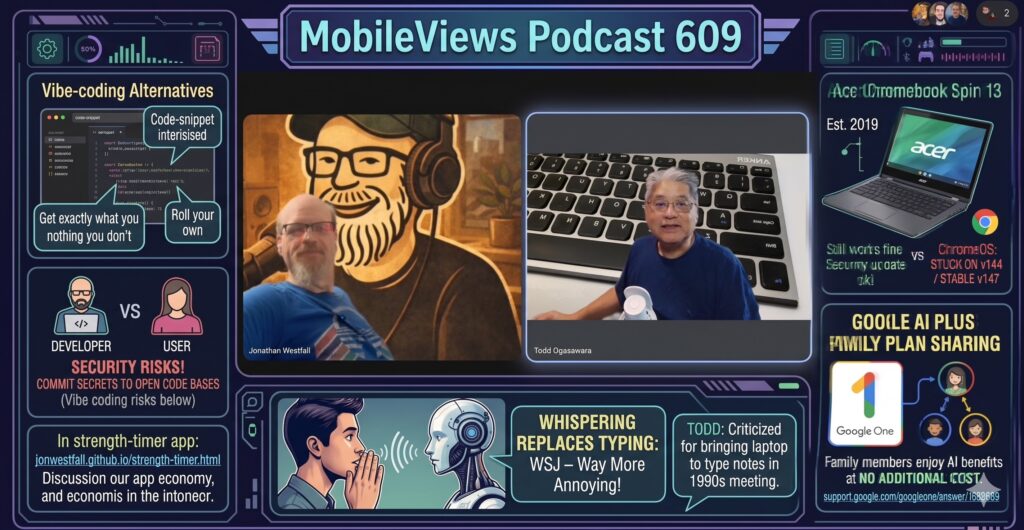
  • MobileViews Podcast 609: Google AI Family Sharing, Vibe Coding Security Risks, and Annoying whispering to AI in offices


    In MobileViews Podcast 609, Jon Westfall and I discuss the evolving landscape of AI tools and consumer technology. I start by highlighting that the Google AI Plus subscription is now shareable via the Google One family plan, which I consider a helpful step in bridging the “AI divide” for households. Then we revisit the recurring topic of the rising trend of “vibe coding,” with Jon explaining how he used AI to generate a custom workout-tracking web page to completely replace a subscription fitness app he had been using. We discuss how this newfound accessibility to coding could threaten small companies that rely on micro-subscriptions for minor app features, while also warning of the severe security risks of amateur coders leaving hardcoded secrets on platforms like Replit and Lovable. Additionally, I noted using Google’s NotebookLM to cross-reference our 2026 podcast transcripts with the Techmeme River news, which surfaced highly relevant updates for us, like the extended FCC deadline for foreign-made drones and routers.

    Jon and I also explore the practical and social implications of AI in the workplace, particularly focusing on an article I found about the trend of “whispering” to AI instead of typing happening in offices. Jon shares how rambling to ChatGPT’s voice mode for five minutes helps him rapidly prototype structured op-ed pieces, essentially using it as a highly effective sounding board and editor. However, we both point out that this shift toward voice interactions makes open-plan offices—an environment I already strongly dislike—even more distracting, making modern workspaces resemble call centers. To round out the episode, we tackle a few persistent societal myths. Jon draws on his background teaching educational psychology to debunk the concept of preferred learning styles, and I acknowledge that the popular 10,000 steps a day health goal is largely an outdated pedometer marketing gimmick, even though I still try to hit that target to stay active.


    Available via Apple iTunes.
    MobileViews YouTube Podcasts channel
    MobileViews Podcast on Audible.com
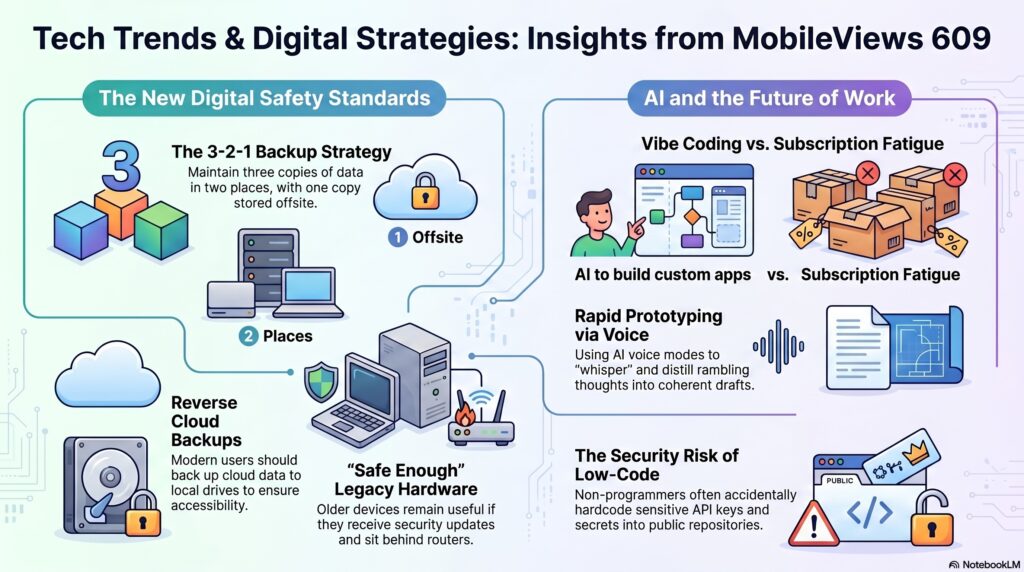
  • MobileViews 608: Microsoft’s K2 Project, Rumored iPhone Folds, and the Rise of AI App Build


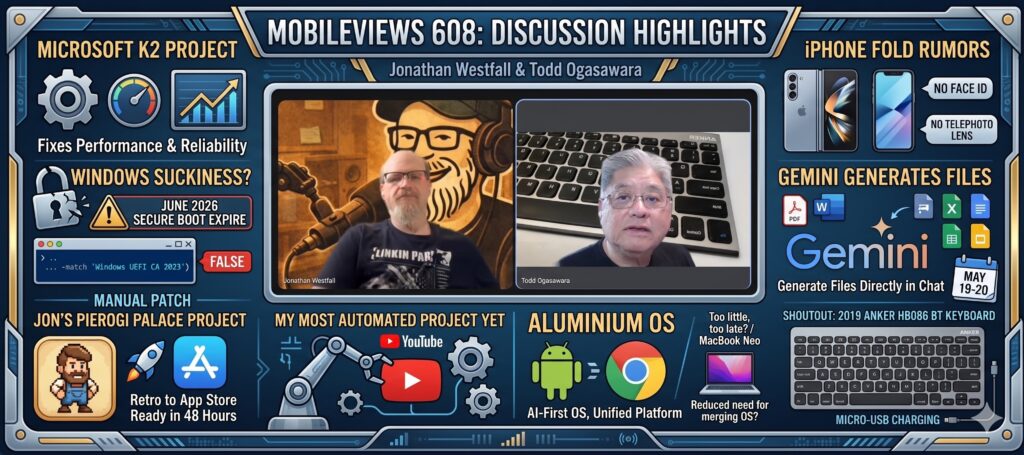
    In MobileViews 608, I spent some time venting about Microsoft’s new “Windows K2” effort to fix the performance and reliability issues in Windows 11—a move that feels long overdue considering, as Jon Westfall noted, the current OS uses React for the start menu rather than native forms. I also shared a warning about expiring secure boot certificates coming in June 2026, which may require manual registry fixes for those whose hardware doesn’t receive automatic firmware updates. On the hardware front, my iPhone 15 Pro’s battery health is dipping, but I’m hesitant about replacing it with the rumored iPhone Fold. While the larger form factor is appealing, rumors suggest it may lack Face ID and a telephoto lens, both of which are dealbreakers for my mobile photography and daily convenience.

    Jon shared a surprising shift in his workflow: returning to paper notebooks during meetings to improve interpersonal engagement, while using a Plaud Note device for the actual transcription. He also showcased his latest “vibe coding” success, building a card game app called “Pierogi Palace” in just 48 hours using ChatGPT and Codex to handle everything from the rule set to App Store screenshots. Meanwhile, I offered a mini-rant about Microsoft 365 Copilot, which has turned the once-simple task of scanning my daily doodles into a frustrating five-click process compared to the old, streamlined Microsoft Lens app.

    Looking ahead to Google I/O, we discussed the anticipated Aluminium OS,” Google’s AI-first operating system that aims to merge Chrome OS and Android. We wrapped up with some tech nostalgia, reflecting on the days when the original iPhone and Windows Phone 7 lacked built-in screenshot features—a sharp contrast to today’s AI tools that can generate entire apps in a weekend. I also gave a shout-out to my 2019 Anker Bluetooth keyboard, which still works perfectly for my iPad Mini typing needs, proving that some hardware really is built to last.

    Available via Apple iTunes.
    MobileViews YouTube Podcasts channel
    MobileViews Podcast on Audible.com